

Modern businesses rely on multiple systems to keep work moving. Sales teams use CRM software, finance teams manage financial data, IT teams track technical issues, and project managers coordinate deadlines and resources.
The problem? These systems often work separately.
Employees end up switching between applications, copying information manually, and chasing updates from different departments. This wastes time and increases the risk of mistakes.
Connecting monday to enterprise systems helps businesses bring people, processes, and data together. Instead of working in silos, teams can share information, automate routine tasks, and get a clearer view of what is happening across the organization.
For businesses looking to improve collaboration and operational efficiency, these integrations are becoming an important part of digital transformation.
What Does Connecting monday to Enterprise Systems Mean?
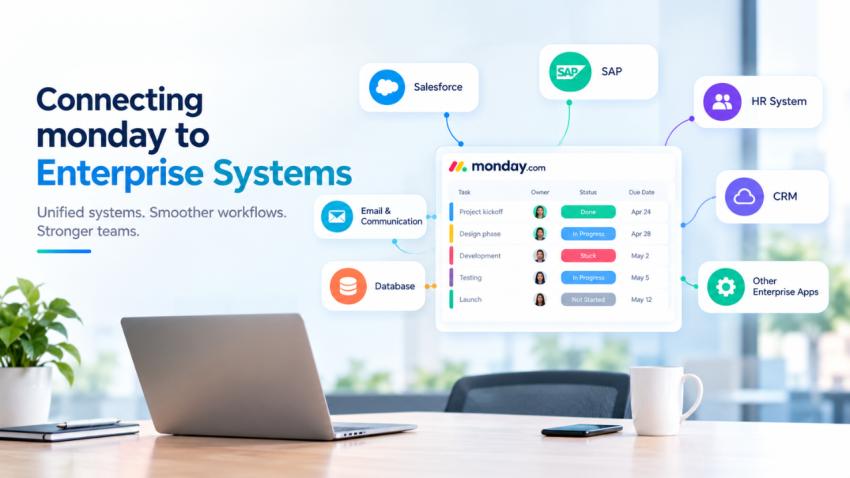
Connecting monday.com to enterprise systems means linking the platform with the other software a business already uses.
These systems might include CRM platforms, accounting software, HR systems, customer support tools, communication apps, and enterprise resource planning (ERP) solutions.
For example, when a sales representative updates a deal in a CRM, that change could trigger a related workflow in monday.com. The project team could receive a notification, create onboarding tasks, and assign responsibilities without manually entering the same information again.
The exact workflow depends on the systems involved and how the integration is configured.
The goal is simple: let business systems share the right information so employees can spend less time managing tools and more time getting work done.
Why Enterprise Integration Matters
1. It Reduces Manual Work
Copying information between applications might seem like a small task, but it adds up across a large organization.
Employees may need to update project status, enter customer details, assign tasks, or notify colleagues in several places. Manual processes slow down work and can introduce errors.
With monday.com integrations and automations, businesses can connect specific actions across systems. For example, creating a new item in monday.com can trigger an action in another connected application, depending on the integration.
This reduces repetitive work and helps teams follow consistent processes. monday.com supports integrations through its platform and developer tools.
2. It Keeps Teams on the Same Page
When departments use disconnected systems, important updates can get lost.
A project manager may not know that a customer has changed a requirement. The sales team might not know that a delivery deadline has moved. Meanwhile, leadership may be working with outdated reports.
Connecting monday.com with enterprise applications helps teams share relevant updates and coordinate their next steps.
For example, a completed sales deal could trigger an onboarding workflow, notify the relevant team, and create a checklist of activities. Everyone can see their responsibilities and track progress more clearly.
3. It Improves Visibility Across the Business
Business leaders need accurate information to make decisions. However, gathering updates from multiple departments can take time when information is scattered across different platforms.
Integrations can help bring relevant workflow data into monday.com, where teams can use boards and dashboards to monitor progress.
Managers may be able to identify delayed tasks, review project status, and spot potential bottlenecks sooner. The value depends on which systems are connected and how reliably the data is maintained.
monday.com Enterprise also supports cross-organizational goals, portfolio management, and standardized processes to help organizations align their work.
4. It Helps Businesses Scale
As a company grows, its workflows become more complicated. More employees, customers, projects, and systems mean more information to manage.
Processes that work for a small team may become difficult to maintain across several departments.
Connecting monday.com to enterprise systems helps businesses build repeatable workflows. New tasks can be assigned automatically, updates can reach the right people, and teams can follow consistent processes as operations expand.
This does not eliminate the need for good planning. Businesses still need clear ownership, reliable data, and well-defined workflows. But the right integrations can make growth easier to manage.
Which Enterprise Systems Can Connect to monday?
The best integrations depend on the tools your business already uses and the problems you want to solve.
Common examples include:
CRM systems: Connect sales activities with project delivery, customer onboarding, and follow-up tasks.
Communication tools: Send relevant updates and notifications through platforms such as Microsoft Teams or Slack.
Customer support systems: Link service requests with internal tasks so teams can coordinate issue resolution.
Development tools: Connect project management with development workflows and issue tracking.
ERP and finance systems: Coordinate operational activities with financial or resource information where supported integrations are available.
Custom business applications: Use APIs or integration platforms to connect systems that do not have a suitable native integration.
monday.com offers a range of integrations and an open platform for building custom connections. Its GraphQL-based API allows developers to read and modify supported platform data, including boards, items, and updates.
Not every system has a ready-made integration for every workflow. Some connections require third-party tools, custom development, or additional licensing.
How to Connect monday to Enterprise Systems Successfully
Connecting software is only the first step. Businesses also need to make sure the integration solves a real problem.
Here are five practical steps to get started.
1. Identify the biggest bottlenecks. Find out where employees spend too much time entering data, switching applications, or waiting for updates.
2. Choose the right systems. Focus on the applications that have the greatest impact on the workflow you want to improve.
3. Define what data should move. Decide which information needs to be shared, which system is the source of truth, and whether updates should flow in one direction or both.
4. Start with one workflow. Test a practical use case, such as creating onboarding tasks when a deal is marked as won. Check that the automation works as expected before expanding it.
5. Review security and performance. Set appropriate permissions, protect credentials, monitor errors, and check whether the integration continues to meet business needs.
A well-planned integration should make work easier without creating unnecessary complexity.
How Tollanis Helps Businesses Get More from monday
For enterprise integration to deliver real value, businesses need more than connected applications. They need workflows that reflect how their teams actually work.
As a monday.com partner, Tollanis Solutions helps businesses make better use of monday to improve workflows, collaboration, and operational efficiency.
The right approach starts with understanding existing processes and identifying where information gets stuck. From there, businesses can explore suitable integrations, automate repetitive tasks, and create clearer ways to track work across departments.
Whether the goal is to improve project coordination, streamline customer onboarding, or connect everyday workflows with enterprise applications, the focus should remain on practical business outcomes.
With thoughtful planning and the right implementation, monday can become a more connected part of an organization's technology environment.
Conclusion
Enterprise systems should help people work better, not create more barriers between teams.
By connecting monday.com with the applications a business already uses, organizations can reduce repetitive tasks, improve information sharing, and make everyday workflows easier to manage.
The key is to start with a clear business goal, choose the right integration, and measure the results.
When your systems work together, your teams can too.