

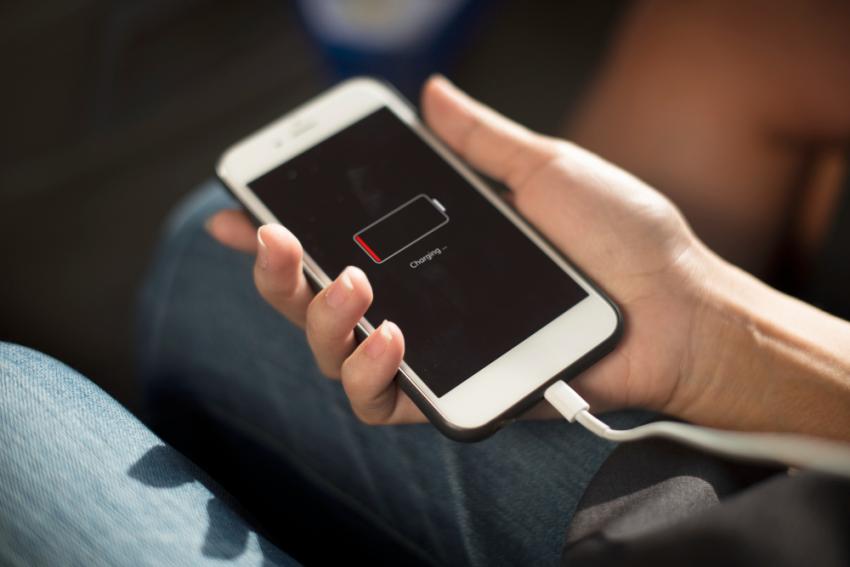
A phone that used to charge quickly but now takes several hours to reach a full battery can be frustrating. It becomes even more inconvenient when you need your phone for work, navigation, communication, or everyday tasks.
Slow charging does not always mean your phone needs a new battery. The problem could be caused by a damaged cable, weak power adapter, dirty charging port, software issue, excessive heat, an aging battery, or a damaged internal component.
Understanding the cause can help you determine whether you can solve the issue yourself or whether professional repair is needed.
What Causes a Phone to Charge Slowly?
There are several reasons why a smartphone may suddenly start charging more slowly. Some problems are easy to fix, while others require a technician to inspect the device.
1. Your Charging Cable May Be Damaged
Your charging cable goes through a lot of daily wear. It gets bent, twisted, pulled, and carried around in bags or pockets. Over time, the internal wires can become damaged even when the outside of the cable looks perfectly fine.
A damaged cable may still charge your phone, but it might not deliver power efficiently.
Common signs of a damaged cable include:
Charging starts and stops unexpectedly
The phone charges only when the cable is positioned a certain way
The cable feels loose
Fast charging no longer works
Charging takes much longer than it used to
Try charging your phone with another compatible cable. If charging returns to normal, replacing the cable may solve the problem.
2. The Power Adapter May Be the Problem
The wall adapter is just as important as the cable. Different adapters provide different amounts of power, and some older adapters may not support the charging speed your smartphone is designed to handle.
If you are using an adapter with insufficient power, your phone may charge normally but much more slowly.
Try another compatible adapter that is known to work correctly. If your phone starts charging faster, the original adapter may need to be replaced.
It is also best to avoid extremely cheap or poorly manufactured charging accessories. Poor-quality accessories can provide inconsistent power and may damage the device.
3. Dirt and Lint Can Block the Charging Port
Your phone's charging port is exposed every time you connect a cable. Dust, pocket lint, and small debris can gradually build up inside it.
Even a small amount of debris can prevent the cable from making proper contact with the charging connectors.
You may notice:
The cable does not fit securely
Charging repeatedly disconnects
The phone charges only at certain angles
Charging speed has suddenly decreased
Do not use sharp metal objects to dig inside the port. The internal connectors are delicate, and careless cleaning can cause permanent damage.
If the port is heavily blocked or appears damaged, professional inspection is safer.
4. Your Battery May Be Getting Old
Smartphone batteries naturally lose capacity over time. After many charging cycles, an aging battery may no longer perform as efficiently as it once did.
Slow charging can be one symptom of battery deterioration, especially when combined with other problems.
An aging battery may also cause:
Rapid battery drain
Unexpected shutdowns
Excessive heat
Sudden changes in battery percentage
Poor battery life
Difficulty maintaining a charge
If your phone is several years old and you are experiencing multiple battery problems, it may be worth having the battery tested.
A technician can determine whether the battery is actually failing before recommending a replacement.
5. Your Phone May Be Too Hot
Heat can significantly affect charging performance.
Modern smartphones have built-in safety systems that can reduce charging speed when the device becomes too hot. This helps protect the battery and other internal components.
Heavy phone usage while charging can increase temperature. Gaming, video streaming, video calls, navigation, and other demanding tasks can generate additional heat.
For better charging performance, place the phone on a cool, hard, and well-ventilated surface while it charges.
Avoid charging the phone under a pillow, blanket, or other material that can trap heat.
If the device becomes extremely hot even when you are not using it, there could be an underlying battery or hardware problem.
6. Background Apps May Be Using Too Much Power
Sometimes the phone is charging correctly, but background activity is consuming power almost as quickly as the charger provides it.
Apps may continue performing tasks while your phone is connected to power. Cloud backups, downloads, location services, automatic updates, and other processes can increase battery usage.
This can make the phone appear to be charging very slowly.
Try restarting the device and checking its battery usage settings. Look for applications that are consuming an unusually high amount of power.
You can also temporarily enable airplane mode while charging to see whether charging speed improves.
If the phone still charges unusually slowly with minimal activity, the issue may be related to the hardware.
7. A Software Problem Could Affect Charging
Your phone's operating system controls many functions related to battery management and power consumption.
A software bug, failed update, or system process running incorrectly can sometimes cause unusual charging behaviour.
Before paying for a repair, try a few basic steps:
Restart the phone.
Install available software updates.
Close unnecessary applications.
Check battery usage.
Let the phone cool down before charging again.
Test the device with a different compatible charger.
If the problem disappears after one of these steps, a hardware repair may not be necessary.
8. Fast Charging May Not Always Be Available
A common misconception is that a phone should always charge at its maximum advertised speed.
Fast charging depends on several factors, including the phone model, charging adapter, cable, battery temperature, battery condition, and charging technology.
For example, a phone that supports fast charging may charge at a slower rate when connected to an incompatible adapter.
The phone may also intentionally reduce charging speed when the battery becomes hot or approaches full capacity.
Therefore, slower charging is not automatically a sign that something is broken.
9. The Charging Port Could Be Damaged
If you have already tested different cables and adapters, the charging port itself may be responsible.
Charging ports can become damaged through normal wear, accidental drops, liquid exposure, or excessive force when connecting or removing a cable.
A damaged port may cause the phone to:
Charge only at a particular angle
Disconnect when the cable moves
Fail to recognise the charger
Stop using fast charging
Charge inconsistently
In these situations, a professional technician can inspect the port and determine whether it needs cleaning, repair, or replacement.
10. Internal Charging Components May Have Failed
Sometimes the problem is deeper than the charging port or battery.
Smartphones contain internal components that regulate and distribute electrical power. These components can be damaged by liquid exposure, physical impact, electrical issues, or component failure.
When this happens, the phone may still turn on and perform other functions normally while experiencing charging problems.
These issues are difficult to diagnose without proper testing. A technician can examine the device and determine whether the charging circuit or another internal component is causing the problem.
Can a Slow-Charging Phone Be Repaired?
In many cases, slow charging can be repaired without replacing the entire phone.
Depending on the diagnosis, a technician may recommend:
Charging port cleaning
Charging port repair
Battery replacement
Cable replacement
Power adapter replacement
Software troubleshooting
Internal component repair
Additional diagnostic testing
The important thing is to identify the actual cause before replacing expensive parts.
For example, replacing the battery will not fix a damaged charging port. Likewise, replacing the charging port will not solve every battery-related problem.
A proper diagnosis helps ensure that you pay for the repair you actually need.
When Should You Stop Troubleshooting?
Some charging problems should not be treated as simple inconveniences.
Stop using the device and seek professional assistance if you notice:
A swollen battery
Burning smells
Smoke
Sparks
Excessive or unusual heat
Visible liquid damage
A severely damaged charging port
Physical damage around the battery area
These signs may indicate a more serious hardware or battery problem.
If you need professional diagnosis, searching for a reputable phone repair shop orlando can help you find a technician who can inspect the charging system and identify the actual cause rather than relying on guesswork.
How to Prevent Slow Charging Problems
Good charging habits can help reduce unnecessary wear on your phone and accessories.
Use Compatible Accessories
Use charging cables and adapters that are compatible with your specific phone. Avoid using damaged or extremely low-quality accessories.
Protect the Charging Cable
Avoid bending the cable sharply near the connector. When disconnecting it, pull from the plug rather than the cable itself.
Keep the Charging Port Clean
Try to prevent dust and lint from accumulating around the charging port. If debris becomes difficult to remove safely, have the port professionally inspected.
Avoid Excessive Heat
Do not regularly charge your phone in extremely hot environments. Avoid heavy gaming or other demanding activities while the phone is charging if it causes significant heat.
Monitor Battery Health
Pay attention to changes in battery performance. Rapid battery drain, overheating, unexpected shutdowns, and slow charging can indicate that the battery needs attention.
Don't Ignore Recurring Charging Problems
If your phone repeatedly charges slowly despite using different cables and adapters, don't keep replacing accessories without investigating the underlying issue.
Persistent charging problems can sometimes indicate a hardware fault that requires professional diagnosis.
Final Thoughts
Slow phone charging can result from many different problems. A worn-out cable or incompatible adapter may be responsible, but the cause could also be a dirty charging port, aging battery, excessive heat, software issue, or damaged internal component.
Start with simple troubleshooting. Test another compatible cable and adapter, check the charging port, restart your phone, and make sure the device is not overheating.
If these steps do not solve the problem, professional diagnosis can help identify the real cause. Getting the correct problem diagnosed before replacing parts can save money and prevent unnecessary repairs.
A slow-charging phone does not necessarily mean it is time for a replacement. In many cases, identifying and fixing the right component can restore reliable charging and extend the useful life of your device.